Free public beta — builds are good for 30 days
· macOS 14 or later ·
Apple silicon · Notarized by Apple
Your pictures are already somewhere.
They're in folders, on a drive, on a NAS, in a mess — and the app
you actually browse them with is Finder, which shows you filenames
and small icons and won't play your video. The professional tools
answer that by asking you to import your life into a catalogue
first, and to keep it there.
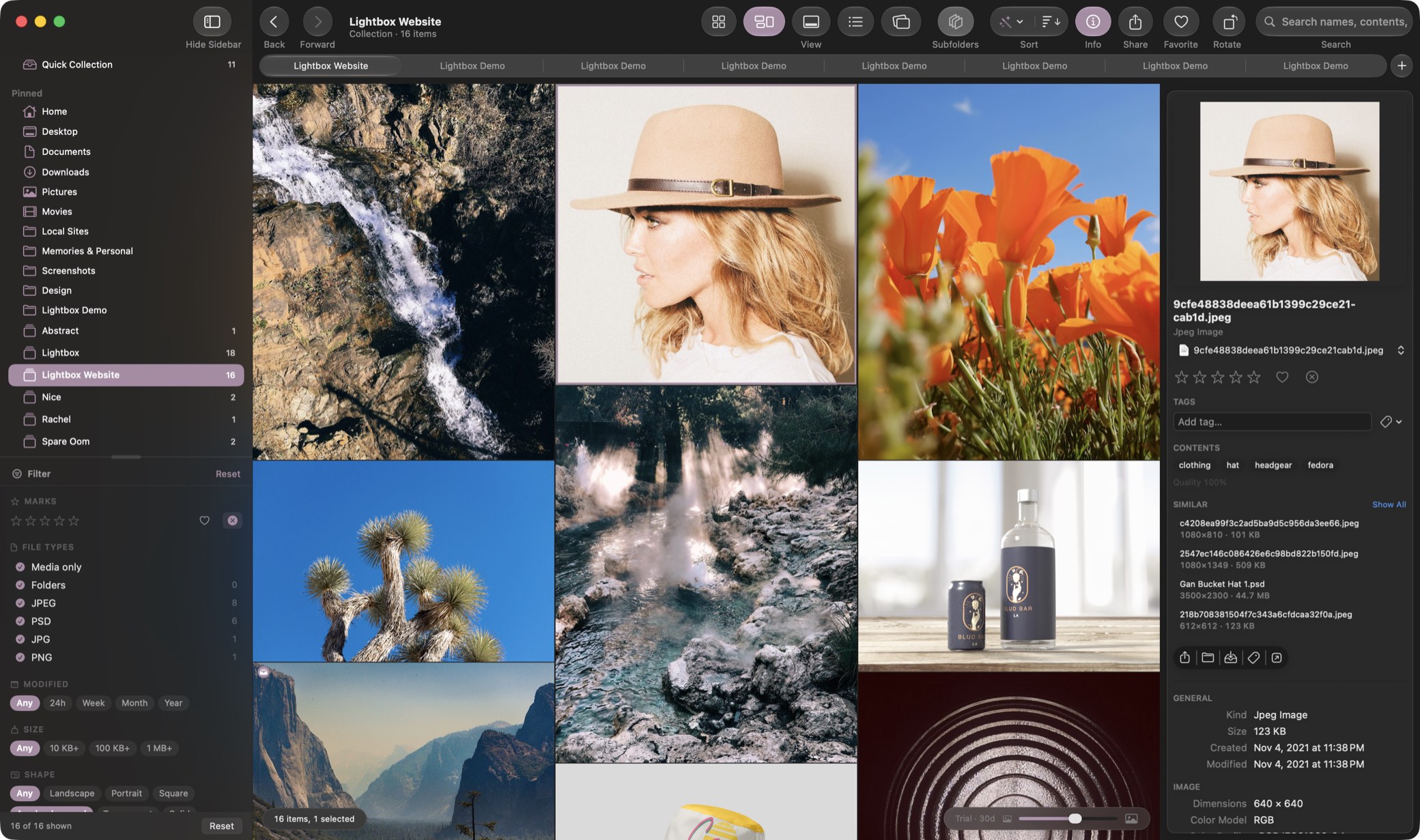
Illigata just opens the folder. Point it anywhere and it fills
instantly, plays everything macOS can play, and leaves your files
exactly where you put them. Fifty files or half a million: the
first screen is there at once, the rest streams in behind it, and
there is no ceiling.
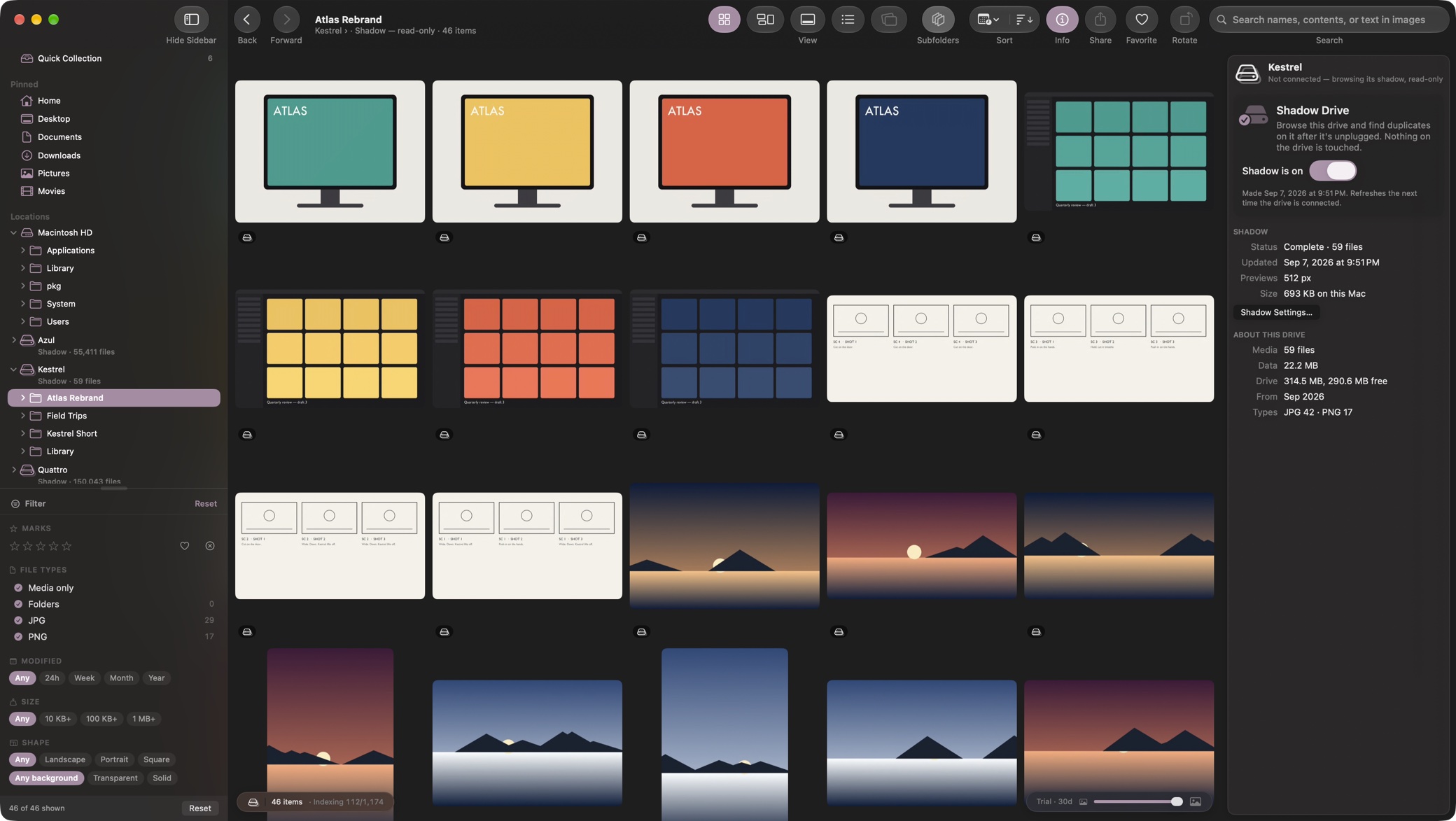
Unplug the drive. Keep browsing.
Turn on Shadow Drive for an external disk and Illigata keeps a small,
complete stand-in for it: the same folders, a preview of every
picture and clip, your ratings and flags, dimensions, duplicates.
Eject the drive and it stays in the sidebar, browsable end to end
— so you can find the shot, build the collection, and know exactly
which drive to plug back in.
It costs about 35 KB per file at the default size — a drive of
fifty thousand pictures fits in under two gigabytes on your Mac —
and nothing is written to the drive unless you ask it to carry a
copy. Anything you add to a collection gets a stand-in
automatically, shadowed drive or not.
It isn't a photo app.
Real folders aren't shoots — they're buckets: logos, screenshots,
textures, mockups, storyboards, brand assets, client deliverables,
a few hundred raws, some footage, and photos mixed in among it all.
Everything else is built around photographs, with dates and
cameras and rolls.
Illigata doesn't care what kind of image it is. It works out what
counts as media by asking macOS rather than matching a list of file
extensions, so a format nobody has heard of still gets a thumbnail —
and if it can't tell, it shows you the file instead of hiding it.
Culling is the fast part.
Rate with ⌘1–5 and the selection moves on by itself. Compare two to
four shots side by side, run a rateable slideshow, scrub a video by
hovering its thumbnail, or let the machine sort by its own guess at
which frames are best.
Ratings and flags are stored as Finder tags, so they
show up in Finder and Spotlight, survive this app entirely, and travel
with the file. Nothing you decide gets locked in a database only
Illigata can read.
Then it gets interesting.
Every image is quietly analysed on your own machine — no account, no
upload, no telemetry, ever. Ask for “neon sign at night” in natural
language and get the picture. Search words that appear inside
an image, so a slate, a sign or a screenshot becomes findable.
Find near-duplicates and the resized copies of things you forgot you
had. Raw and JPEG versions of one shot group into a single tile,
because they're one photograph the camera wrote twice. Pick any image
and ask what else looks like it.
And when you need to do more than look.
Develop raws with a full tone pipeline that never touches the original
file. Write IPTC metadata across a whole selection. Spread a collection
out on an infinite canvas and arrange it spatially. Export with recipes
and hand off to Finder, an app, or a Shortcut.
Every file operation is undoable, including the ones that move things.
Point it at a folder and see.
It takes about ten seconds to know whether this is better than the
window you're using now.